
Clean the Supermarket Map & Aisle Directory
Find the right aisle by its numbered sign. The recorded store has 12 aisles and 199 shelves on the HUD; select the aisles you want to work on to build a suggested clear order.
What this map shows
The grid is an aisle directory, with names read from the in-game signs. Physical aisle positions have not been verified, so use it to identify sections and plan a suggested clearing order. The card colours help distinguish sections on this site; they are not in-game shelf colours.
Directory checked 2026-08-03; HUD totals checked 2026-07-27. View the directory footage by OTTER ON ROBLOX
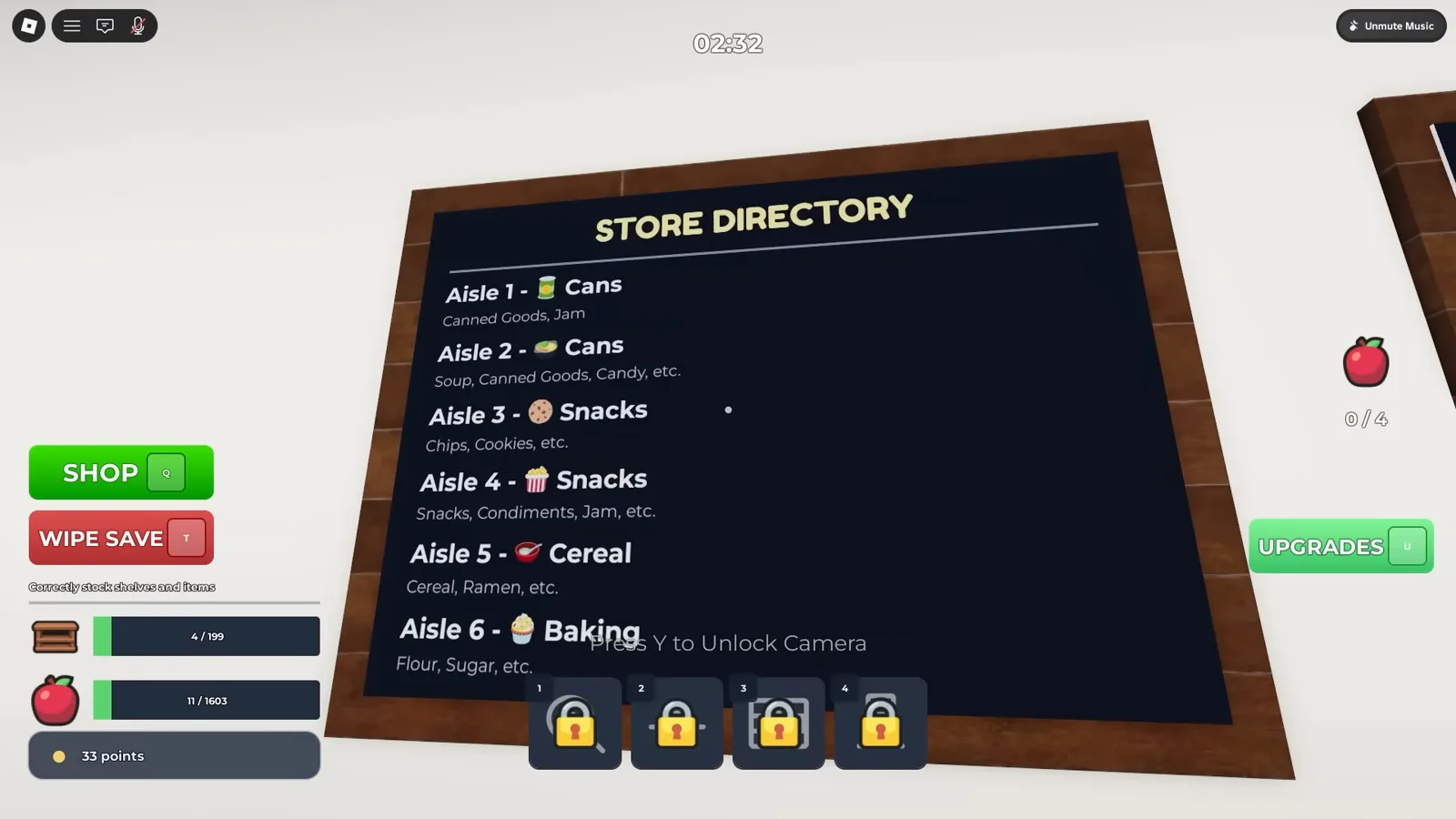
All 12 aisles as listed on the in-game store directory.
Plan your clear order
Select the aisles you still want to clear. The suggested order favours larger, easier-to-recognise items; it does not calculate the shortest walk.
Your selected clear order
Select at least one aisle to see a suggested order.
Read the signs and shelf codes
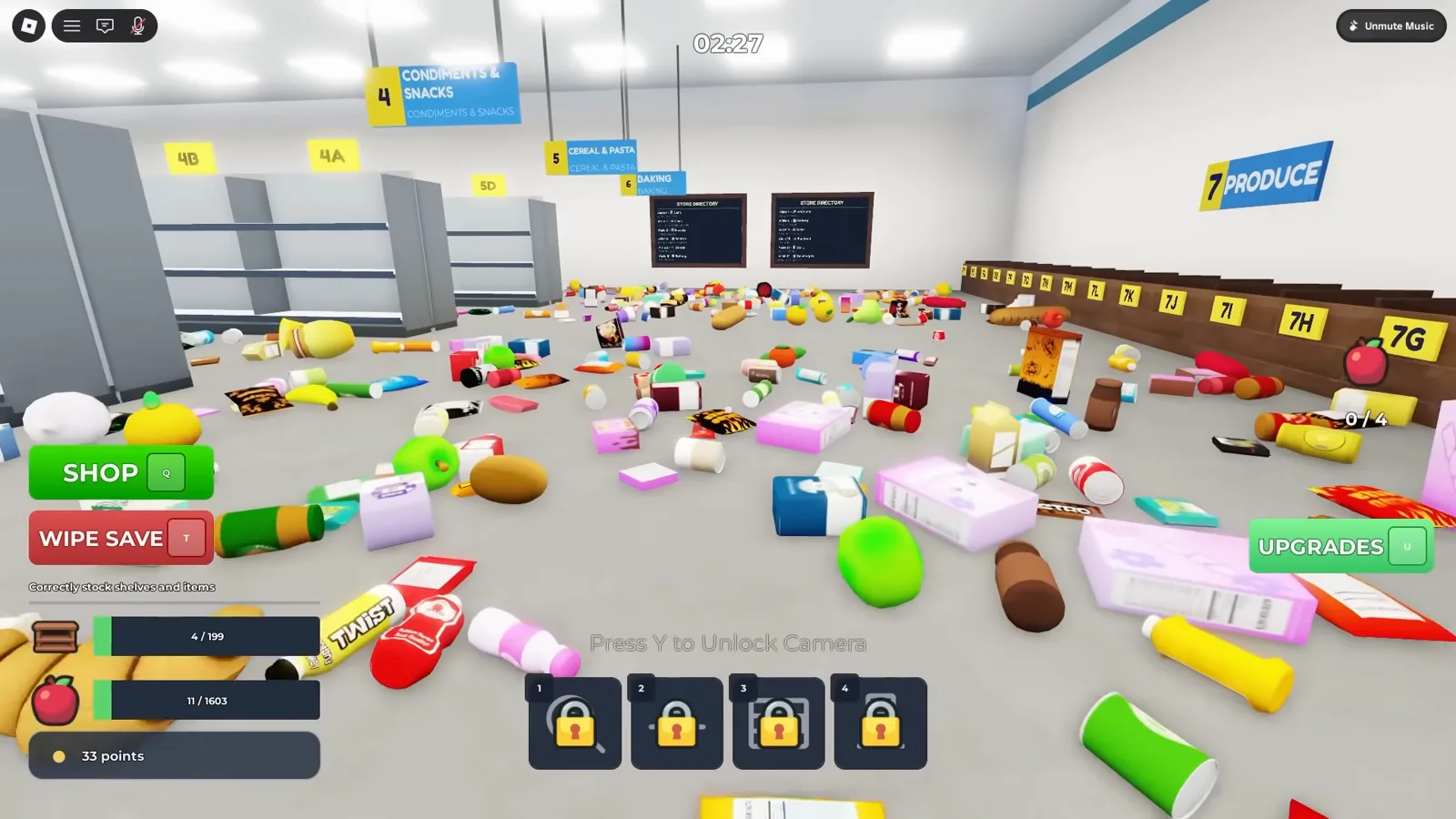
Match the aisle number and name on the hanging sign to the directory. Shelf labels combine that number with a letter. The screenshots below show how those labels appear in the recorded store; observed shelf letters are listed in the aisle table.


Map and shelf-code questions
Does this directory also verify the Hard Mode map?
This page documents the store shown in the credited gameplay footage. Layouts, timers and item counts for Hard Mode or other stores have not been verified here.
How many aisles are in the recorded store?
The two STORE DIRECTORY boards list 12 numbered aisles. Use the directory cards and aisle table on this page to match the names on the signs; some hanging signs use a fuller name than the boards.
How do I use the clear order planner?
Select the aisles you still want to clear. The planner lists them in the community-suggested order stored in this guide; you can copy the list to use in-game. It does not calculate walking distances or track your game progress.
How do I read a shelf code?
A shelf code combines an aisle number with a shelf letter. Match the number to the aisle sign, then look for the letter on the shelf. The table lists letters observed in footage, so it is not a complete shelf inventory.
Where can I look up a specific item?
Open the item finder to search the 130 verified item records, or browse the item list by aisle. This subset does not cover every object in the store, and an aisle match does not establish an exact shelf letter.
Find an item or follow a walkthrough
All 12 aisles
Read straight off the in-game store directory: twelve numbered aisles, from 1 Cans through 12 Beverages, with the shelf codes that appear on the signs.
| Aisle | Name |
|---|---|
| 1 | CansCanned Goods, Jam |
| 2 | CansSoup, Canned Goods, Candy, etc. |
| 3 | SnacksChips, Cookies, etc. |
| 4 | Condiments & SnacksSnacks, Condiments, Jam, etc. |
| 5 | Cereal & PastaCereal, Ramen, etc. |
| 6 | BakingFlour, Sugar, etc. |
| 7 | ProduceFruits, Vegetables |
| 8 | BakeryBread, Croissants |
| 9 | MeatSteak, Bacon, Sausage |
| 10 | SeafoodFish, Prawn |
| 11 | DairyMilk, Yogurt, etc. |
| 12 | BeveragesSoda, Juice, etc. |